
At ZimmHost, we realize that installing scripts manually on a hosting account can be challenging. To make things easier for you, we have installed a leading auto-installer within cPanel. This auto-installer application is called Softaculous and offers various script installations with the ease of a click of a button.
What is Softaculous?
Softaculous is an application available in cPanel that currently provides many scripts that can be installed with a click of a button. The most popular script applications offered are WordPress, AbanteCart, PrestaShop, Joomla, phpBB, Open Real Estate, and the list goes on. This application allows you the ease to quickly install and manage scripts on your hosting account. Softaculous provides options to view script demos, auto-update scripts, configure up to 2 backups, set email notifications, and more. When it comes to installing applications on your hosting account, you will want to use Softaculous to save you time and allow you the convenience of managing your script applications going forward.
How to use Softaculous
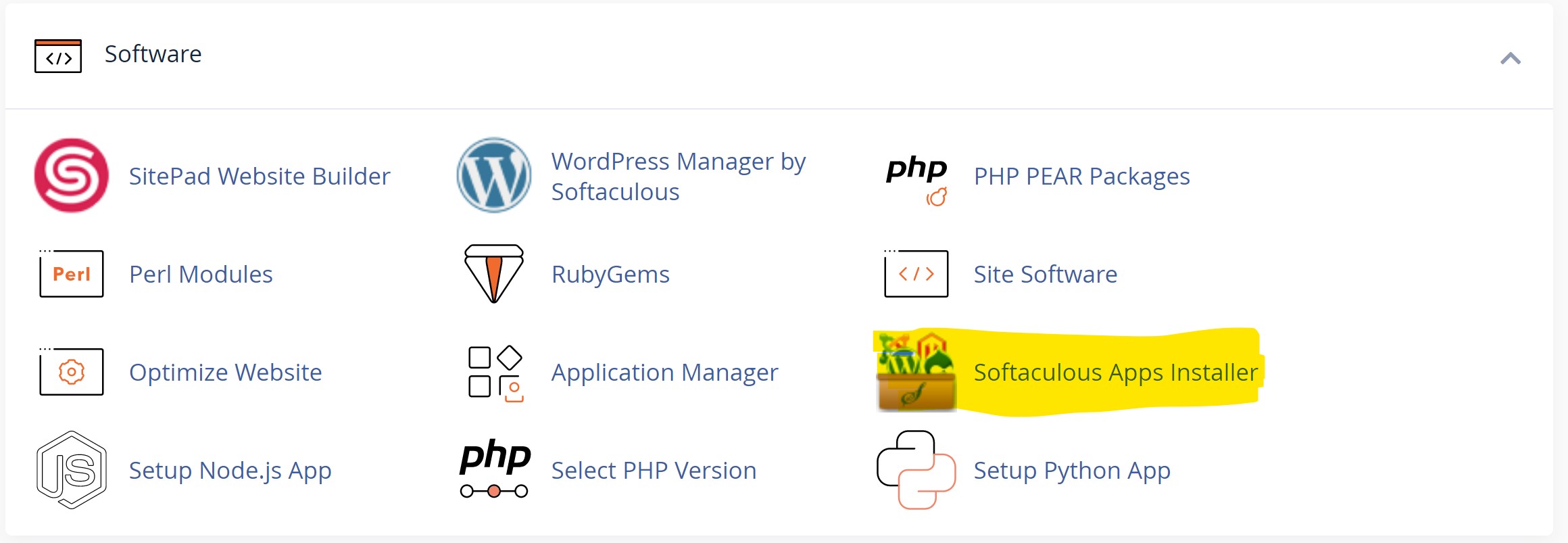
After you log in to your cPanel, you will scroll down to the software section and find the "Softaculous App Installer".
Once you click this option you will be presented with the Softaculous screen:
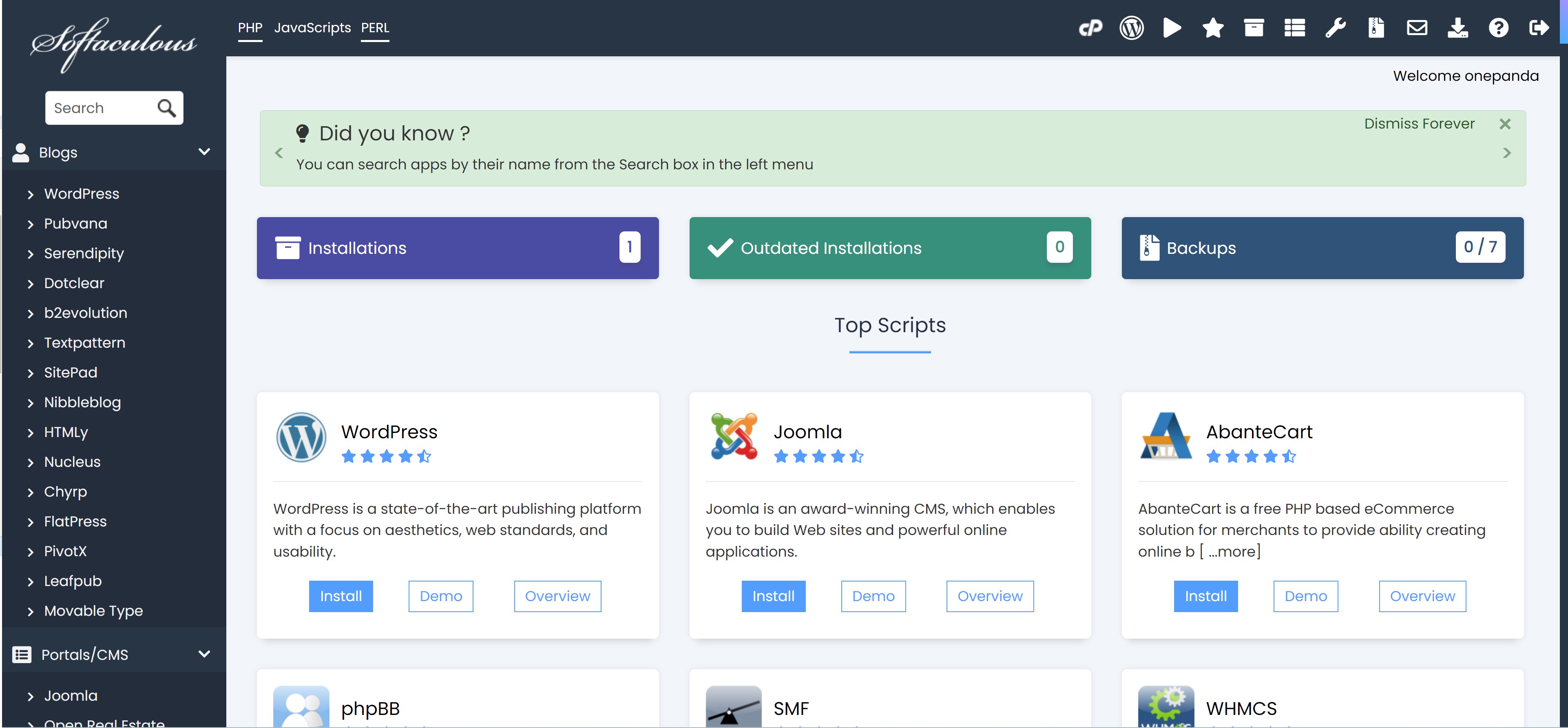
Simply select the software you wish to use and click Install. If you need help installing any of these packages, please reach out to our support department.